How to use Mouse Behavioral Phenotype Database.
Welcome to Mouse Behavioral Phenotype Database!! Our innovative platform is designed specifically for managing and analyzing mouse behavioral data across 15 different behavioral tests. With our user-friendly website, you can easily browse through data in a graphical and tabular format, organized by strains and test categories. Explore various metrics and indicators that provide insights into mouse behavior, allowing you to gain a deeper understanding of their actions.
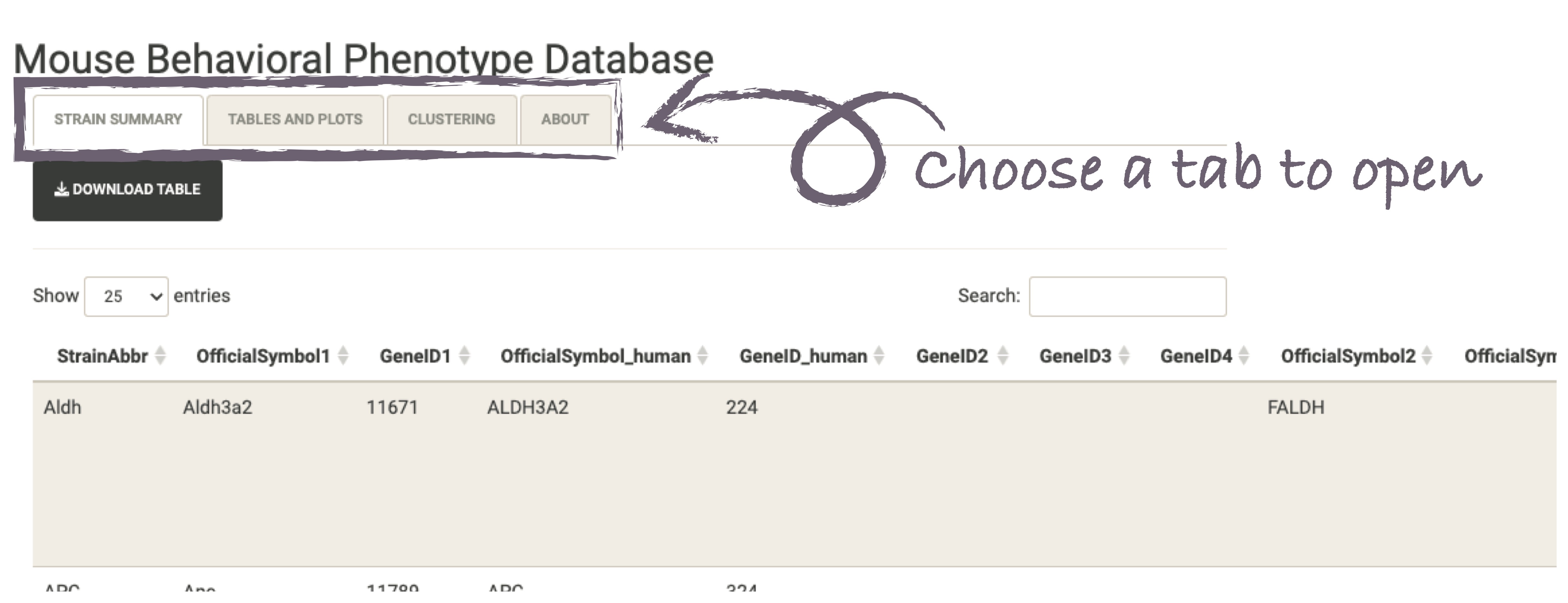
Our website consists of three main sections: Strain Summary, Tables and Plots, and Clustering. Users can access relevant information by clicking on each respective tab. Below, we provide a brief description of each section.
Strain Summary
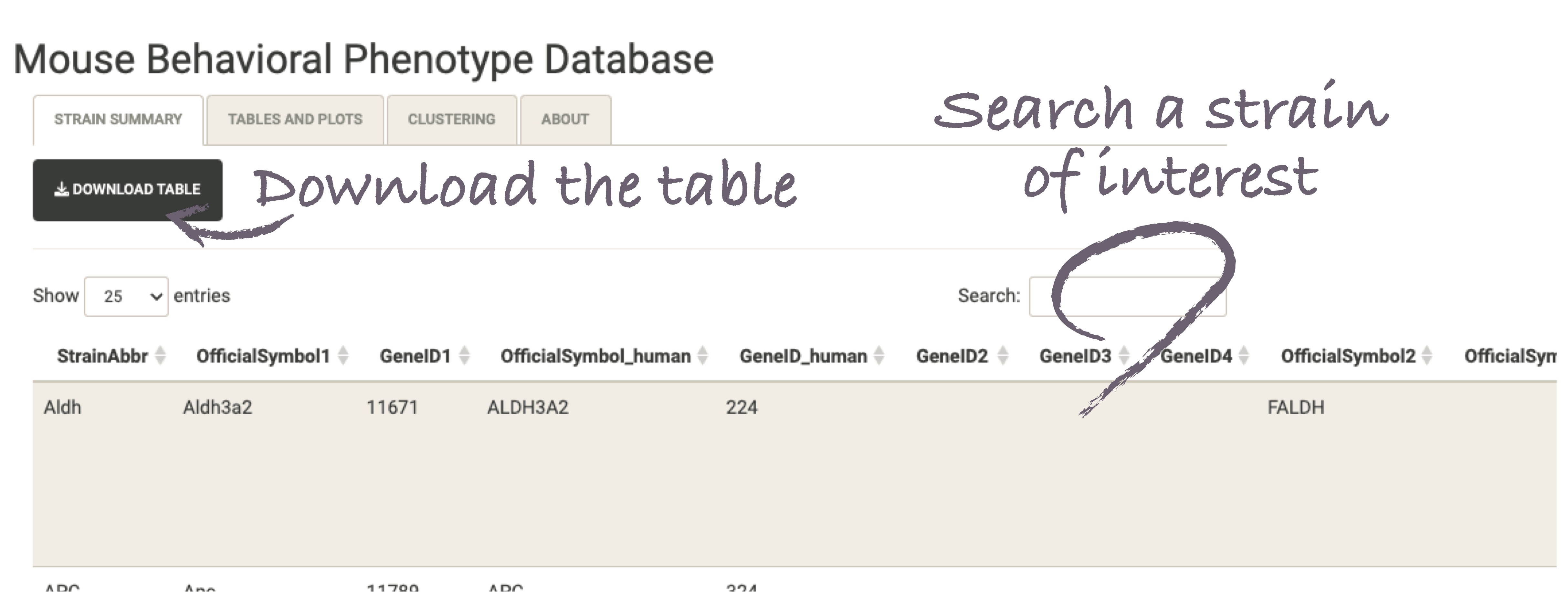
Here, you will find comprehensive information and summaries for each strain. Easily navigate through the different strains and gain valuable insights into their characteristics and behavioral patterns. Our user-friendly interface provides an organized overview, allowing you to quickly access strain-specific details such as genetic background and experimental conditions. Explore this section to get a comprehensive understanding of each strain's profile.
Tables and Plots
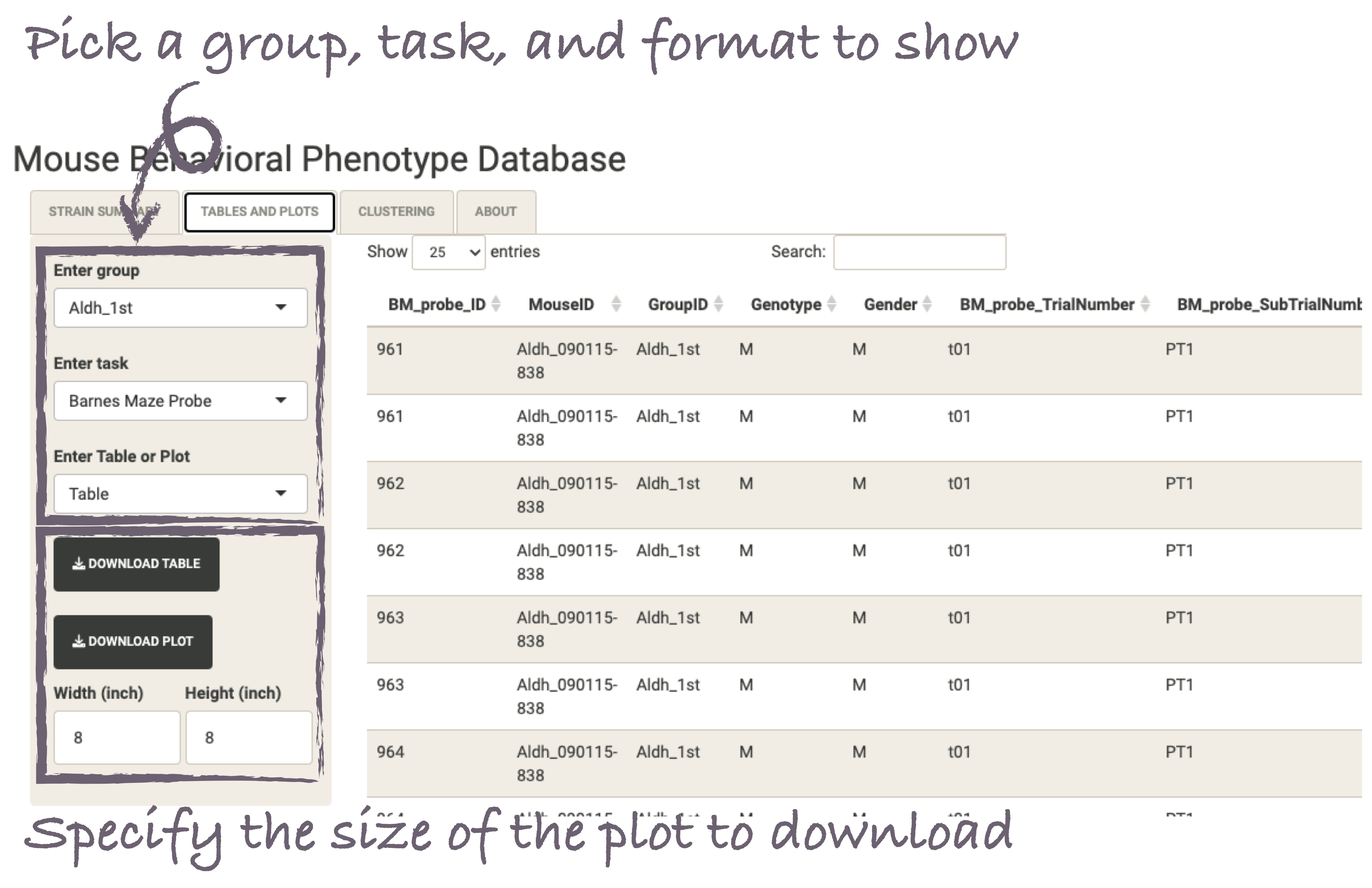
Discover the Tables and Plots section of our website, where you can explore detailed results for each strain and behavioral test. Within this section, you will find a rich collection of visualizations in the form of tables and plots. By clicking on the tab, you can delve into interactive tables to examine specific metrics and statistical analyses. Visualize the data through plots and graphs to identify trends and patterns. With this comprehensive collection of visual representations, you can uncover meaningful insights and draw conclusions based on the behavioral data
Clustering
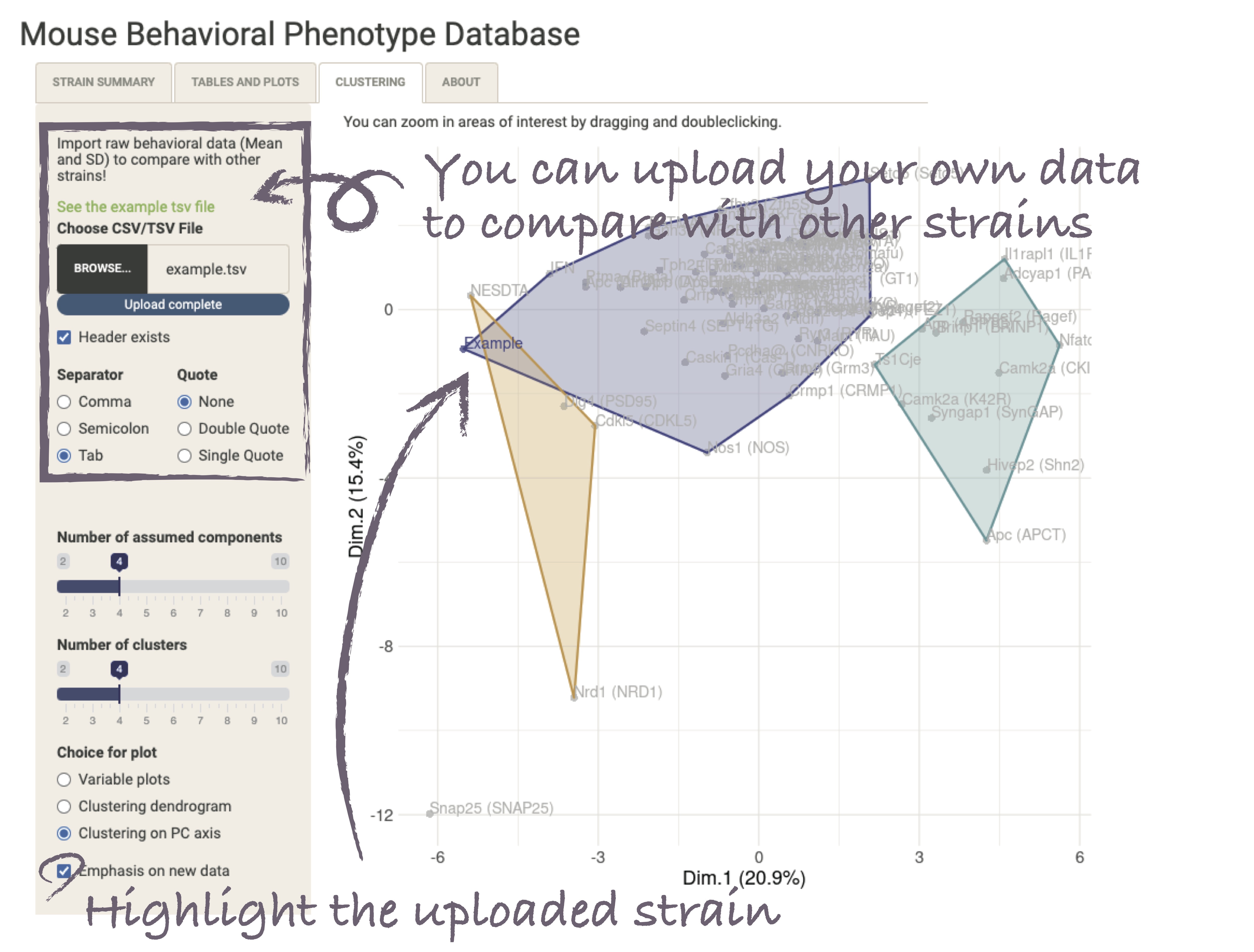
Unlock the power of data visualization in our Clustering section. By clicking on the tab, you can access an analysis that leverages the effect size data of various behavioral indicators to visualize the relationships between different strains. This section provides interactive visualizations that allow you to explore clusters, identify similar strains, and gain a deeper understanding of the underlying patterns. The data you need is just the mean and SD of each measure for both control and mutant groups. Use this section to discover hidden associations and make insightful comparisons between strains.
Plots are displayed on the right side, and you can zoom in by dragging and double-clicking with the mouse.
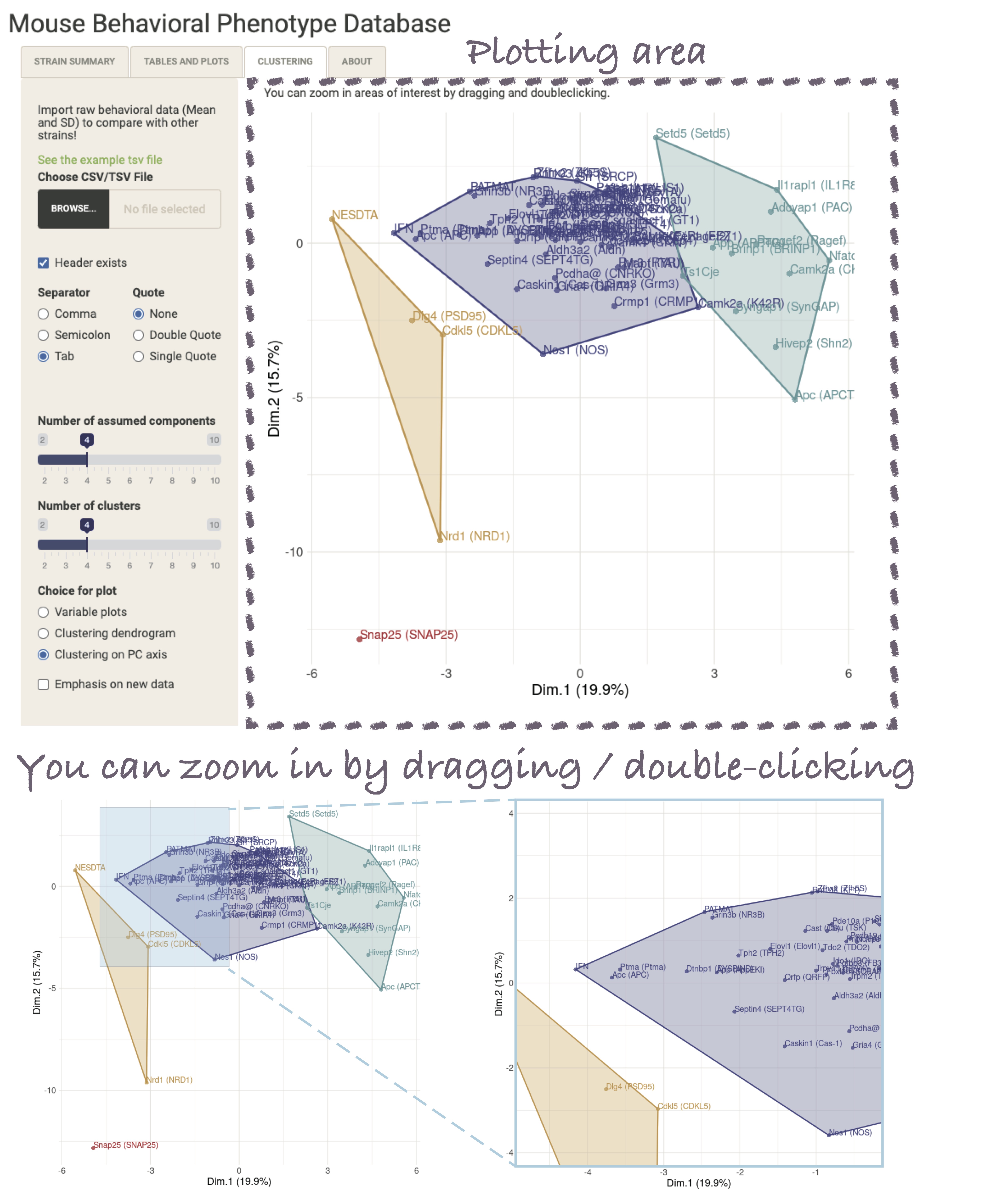
Furthermore, you can modify the parameters used for multiple factor analysis and hierarchical clustering, such as the assumed number of factors or cluster count, from the tabs on the left side. Additionally, you have the option to change the displayed plots from the default mapping of each strain on the factor plane to variable mapping or dendrogram representation of each strain.
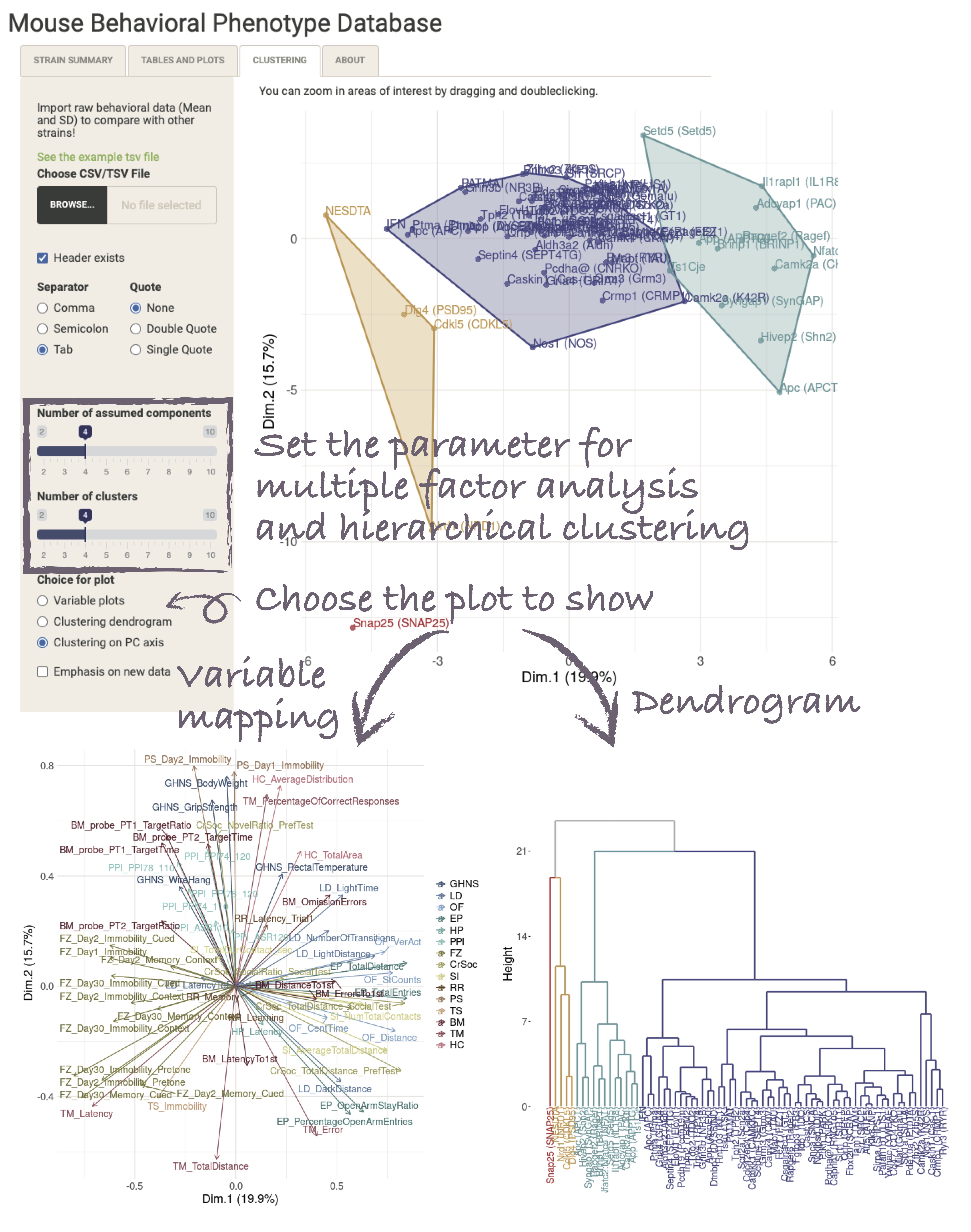
Lastly, this section allows you to upload your own data to enrich the factor analysis and clustering analysis. By comparing your data with other strains, you have the opportunity to unveil novel behavioral patterns, shedding light on both similarities and differences, which may lead to the discovery of previously unknown behavioral traits. The essential information required for analysis includes mean and standard deviations for each control and experimental group. Please refer to the provided behavioral indicators here to ensure the appropriate selection of metrics. Store your data in tabular format for the relevant behavioral measures and proceed with the secure upload. We want to emphasize that we do not engage in any data collection activities, and your data will never be utilized or disseminated without your explicit consent.